Old PC Deals

  • Subscribe to our RSS feed.
  • Twitter
  • StumbleUpon
  • Reddit
  • Facebook
  • Digg

Wednesday, 29 April 2009

The Revit API: A Great Place To Start

Posted on 02:46 by Unknown
THIS LINK is a great resource for one's travels up or down the Revit API stream.

THIS LINK is a great resource for one's travels through life. -When stuck just pick one and go with that and see what comes of it!!! One of my favorites is: "Make a sudden, destructive unpredictable action; incorporate"
Read More
Posted in | No comments

Friday, 24 April 2009

Do you really want to know where your command is now?

Posted on 14:11 by Unknown
In my world the ribbon just reinforces (and will grow) my use of Keyboard Shortcuts but for those occasions where I do use buttons there IS a way to find the 2010 equivelent of previous Revit tools... So, for those who can't find the F1 key or who need extra spoon feeding (yes, I am just being mean but it's all in jest)... CLICK ME. Neat tool, I wonder about how much free time Mr. Iyadurai has...though sometimes we all give back...thanks Nicholas!!!.
Read More
Posted in | No comments

Revit: The Unconditional Conditional Withholder?

Posted on 01:43 by Unknown
Funny thing: at this month's Los Angeles Revit Users Group someone mentioned how absurd it is (OK it was me) that there can be found functionality in some Revits that aren't in others... Well Steve Stafford with the help of David Baldacchino has posted a nifty find of some hidden functionality that IS actually there. See Steve's conditional post and David's additional post.
Read More
Posted in | No comments

Thursday, 23 April 2009

Known Issues

Posted on 18:33 by Unknown
Blogger Stuart said...

Revit download.... What drives me nuts about Revit 2010 download is the little pdf that is titled: Known Issues. Unfortunately, it is not accompanied with a pdf called: resolutions!! How in the world does Autodesk get away with that!?!?

Thursday, April 23, 2009

He said "Known Issues".

Comment on those Issues.

I've always found it enlightening (not to mention useful) that the (or at least some of the) "known" issues are published for Revit... Yeah, they could be fixed but you know how it is big ships turn slowly...

Wouldn't it be funny (or scary...) if people published their own "known issues" documents???

But alas we still buy the product and we still get married so...
Read More
Posted in | No comments

Tuesday, 21 April 2009

The Revit Workstation: A Simple Formula

Posted on 22:44 by Unknown
What is the best computer for Revit?


It’s all up to one’s budget; keeping in mind project type/size and what else will be done on the machine.


I would recommend that whatever manufacturer(s) you go with, when you spec out the Workstations you consider a handy equation that I use:


IF ($$$=Available) Then (Autodesk Recommended Specs * 4) ELSE (Autodesk Recommended Specs * 2)


...If you want to use that in a Revit "calculated value" :-) then I believe it would read:


IF $$$>Available, (Autodesk Recommended Specs * 4), (Autodesk Recommended Specs * 2)


Consider that what you want you need. Look down the road 1 year+...


BTW: I mean I would double at the very least, each of the specs individually, some I’d go beyond double… but double is my minimum.


In the past Video Cards did not make a big impact on Revit but everything else one probably uses (and now Revit more and more) use heavy GPU so I’d still go for the gold there too.


Look at the links below…Hmmm Multiple Xeon’s… I know only Rendering in Revit uses multiple processors but doesn't 8 sound very good to you?


I’d also check the AutoCAD Recommended Video Cards (yes: ACAD, they are somewhat GPU heavy)... perhaps use the Inventor or MAX, or Maya GPU specs and again get better than their highest recommendations, up to your budget's limit…


The better the computer the longer it's Revit Life Cycle (RLC).


Look into leasing vs. purchasing…


Anyways, ADSK says the black and I said the Red


J's Minimum System Recommendations for 64-bit Autodesk Revit Architecture

* Windows XP Professional x64 edition (SP1 or later) Vista 64 since XP 64 is...

* Intel Core 2 Duo 2.40GHz or equivalent AMD processor How much can I spend on Xeons?

* 8 GB RAM 8 minimum!!! 16 or 32 for really useful/heavily used systems.

* 5 GB free disk space Ha
!!! 5 GB to install!!! maybe a couple of Terabytes is better.

* Dedicated video card with hardware support for DirectX 9 (or later) How many GB
can I afford? (Hmmm maybe multiple SLI's)

* Internet Explorer 6.0 SP1 (or later) Mozilla for me but IE is there anyways, if ADSK needs it.

* Two-button mouse with scroll wheel Yeah, because someone won't let people like Logitec into the API enough to allow the Space Pilot, etc. to work with it... Oh sorry, I combine a Wacom Intous Tablet, a
nd depending on where I am, a Space Pilot or Space Navigator with a Mouse and a Wacom Cintiq.


AutoDESK Revit Download


AutoDesk Discussions about systems...


AutoDESK Revit Architecture Specs


Revit mep Suite 2010 Specs


Take care!!!

-J

Read More
Posted in | No comments

Wednesday, 15 April 2009

Posted on 01:34 by Unknown
This is mainly to help me remember the way to negate the "Inconsistent Units" error but I am sure there are more people who will find this useful!!! From the real Revit master: (BTW: This can obviously be applied to many objects, not just walls as the example shows)...

Originally Posted by LRaiz (re-posted at the bottom of the discussion in this link)
"Let's assume that you are using Cost parameter available in Wall type as your unit cost. When you assign numeric value to to Cost Revit has no idea what is the meaning of this parameter. It could be cost per square foot, cost per square inch, cost per linear foot, cost per wall instance, etc. You are the only one who knows the meaning and you use your knowledge while writing a formula for calculated value in schedule. Revit just enforces that units of measurement are the same on the left and right sides of your formula.

Let say you want to compute TotalCost (number parameter) then taking into account the fact that unit Cost is also a number (no units of measurement) and Area parameter has units of length square you would write

If Cost is per square foot then TotalCost = Cost * Area / (1' * 1')
If Cost is per square inch then TotalCost = Cost * Area / (1" * 1")
If Cost is per square meter then TotalCost = Cost * Area / (1m * 1m)
If Cost is per linear foot then TotalCost = Cost * Length / (1')
If Cost is per wall instance then TotalCost = Cost

Makes sense?"
Read More
Posted in calculated values, formula, formulas, inconsistent units, Revit, revit formulas | No comments

Tuesday, 24 March 2009

Autodesk Revit Architecture 2010 Preview

Posted on 01:56 by Unknown

So here's a nice selection of information From ADSK on Revit 2010. If you open these in other windows (in your browser) your surfing will be much easier... Cheers, -J


Detailed Features

Autodesk® Revit® Architecture software helps you gain a competitive advantage with tools that help keep all your design information better coordinated and more accurate.

Autodesk Revit Architecture: New Conceptual Design Tools

View Larger

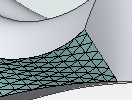
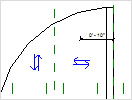
New Conceptual Design Tools
Autodesk Revit Architecture software offers new easy-to-use conceptual design tools that support your creative flow. Sketch freely, create free-form models easily, and manipulate forms interactively. You can define forms and geometry as real building components for a smooth transition to design development and documentation. As you design, Autodesk Revit Architecture automatically builds a parametric framework around your forms, offering greater levels of control, accuracy, and flexibility. Take your design from concept model all the way to construction documents all in one environment.


Autodesk Revit Architecture: Streamlined User Interface

View Larger

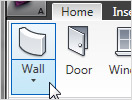
Streamlined User Interface
Autodesk Revit Architecture 2010 software features a sleek, new user interface that offers better desktop organization, a larger drawing window, and quick access to the tools and commands you need. You’ll be able to find your favorite tools faster, locate lesser-used tools more efficiently, and discover new features more easily.


Autodesk Architecture: Bidirectional Associativity
View Larger

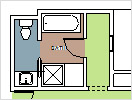
Bidirectional Associativity
A change anywhere is a change everywhere. In Autodesk Revit Architecture software, all model information is stored in one place. As a result, any information that gets changed is effectively changed throughout the model.

Autodesk Revit Architecture: Schedules

View Larger

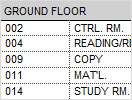
Schedules

Schedules are just another view of the Autodesk Revit Architecture model. A change to a schedule view is automatically reflected in every other view. Functionality includes associative split-schedule sections and selectable design elements via schedule views, formulas, and filtering.

Autodesk Revit Architecture: Parametric Components
View Larger

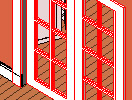
Parametric Components
Parametric Components, also known as families, are the basis for all building components designed in Autodesk Revit Architecture. They offer an open, graphical system for design thinking and form making as well as an opportunity to express design intent at increasingly detailed levels. Use Parametric Components for the most elaborate assemblies, such as cabinetry and equipment, as well as for the most elementary building parts, such as walls and columns. Best of all, no programming language or coding is required.

Autodesk Revit Architecture: Design Options
View Larger

Design Options
Develop and study multiple simultaneous design alternatives to make key design decisions. Present multiple schemes to your clients easily. Substitute each option into the model for visualization, quantification, and other data analysis to better inform decision making.

Autodesk Revit Architecture: Detailing

View Larger

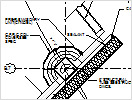
Detailing

Take advantage of the extensive detail library and detailing tools that are part of Autodesk Revit Architecture 2010. Presorted to align with the CSI format, detail libraries can be tailored to accommodate your office standards. Create, manage, and share your own detail library.

Autodesk Revit Architecture: Material Takeoff

View Larger

Material Takeoff

Calculate detailed material quantities with this new tool. Appropriate for sustainable design and checking material quantities in cost estimates, Material Takeoff facilitates the tracking of material quantities. The parametric change engine helps ensure that your material takeoffs are accurate.

Autodesk Revit Architecture: Revit Building Maker

View Larger

Revit Building Maker

The Revit Building Maker feature provides a seamless way to turn conceptual forms into functional designs. Select faces to generate walls, roofs, floors, and curtain systems. Use tools to extract important information about your building such as surface area or volume per floor. Conceptual forms may be created natively in Autodesk Revit Architecture or imported from applications such as AutoCAD®, form-Z, Rhino, Google SketchUp, or other ACIS- or NURBS-based applications into Autodesk Revit Architecture software as mass objects.

Autodesk Revit Architecture: Interference Check
View Larger

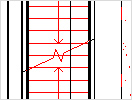
Interference Check
Use interference checking to scan your model for collisions between elements.

Autodesk Revit Architecture: Design Visualization
View Larger

Design Visualization
Capture design ideas in a photorealistic state. With easy user interaction, high-quality output, and faster render times, the mental ray® rendering engine enables superior design presentation.

For more granular control over the rendered scene, use the Autodesk® FBX® file format to import your designs into Autodesk® 3ds Max® Design software. You’ll get unmatched flexibility and control over how you visualize and present your work. Learn more about design visualization.

Autodesk Revit Architecture: Native 64-bit Support

View Larger

Native 64-bit Support

New native 64-bit support enhances Autodesk Revit Architecture’s ability to handle large projects and improves performance and stability for memory-intensive tasks such as rendering, printing, model upgrading, and file importing and exporting.

Autodesk Revit Architecture: Enhanced Interoperability
View Larger

Enhanced Interoperability
Interoperability enhancements enable you to work more efficiently with members of your extended project team. Now you can export your building model or site, complete with critical metadata, to AutoCAD® Civil 3D® software. And you can import accurate models from Autodesk® Inventor® 3D mechanical design software.

Autodesk Revit Architecture: Autodesk 2D and 3D DWF Integration

View Larger

Autodesk 2D and 3D DWF Integration

Autodesk Revit Architecture software supports complete round-tripping of markups with Autodesk® Design Review software. Because Autodesk Design Review software’s markup capabilities combine with Autodesk Revit Architecture navigation and revision management capabilities, tracking changes is easy. There’s no need to re-enter information. Autodesk Revit Architecture supports publishing a model to 2D or 3D DWF™ format. This capability provides high-impact, dynamic communication of design information in a lightweight format. It’s great for including nontechnical participants in the project review process.

  • Resource Center
  • Product Download
  • Services & Support
  • Building Information Modeling (BIM)
  • Features
    • Detailed Features
  • System Requirements
  • White Papers
  • Customer Stories
  • Product Trial
  • News & Events
  • Related Products
  • Documentation
  • How to Buy
  • Subscription Benefits

FAQ (pdf - 173Kb)

Autodesk Revit Architecture Brochure (pdf - 3950Kb)
Read More
Posted in New Features Workshop, Revit, Use Revit Like Revit | No comments
Newer Posts Older Posts Home
Subscribe to: Posts (Atom)

Popular Posts

  • ____(1)fest 2009
    ____ing (2) in a ____ (3)can? Better than that!!! First off to Virginia Gardiner, the Designer of the Loowatt, I apologize for the low-brow ...
  • Do You Want To Be An Architect?
    Sage advice that is spot on. Too bad the damned video isn't shown in Architecture Schools (or earlier)!!!
  • Slanted Volumes...I guess the Ramp tool isn't enough?
    I've been asked several times in the past few months to create (or show others how to create) Parametric Slanted Volumes. It seems that...
  • Central File Transfer Processes
    Whether transferring to others or even working from home (see the BONUS!!! section) Central files need extra attention paid when dealing wit...
  • RTC USA Me Part 2: A+Revit Families
    This time the presentation is first & the handout after... Only one may be needed, as they are mainly the same... you decide though... C...
  • Fun With Revit & Cows
    Here's a bit of fun with Marcello's Cow for LARUG (Hey, check out LARUG's Group Site and sign up/join if you want to come to ...
  • MythBusted? BIM/CAD is no panacea for lacking experience
    Images from the Gommateshvara Statue I visited yesterday... and some of those 650 steps that I am about to mention (yikes on the calf muscl...
  • Namaste From India (not na)
    5:00 am, India time... do you know where your J is? So after the 20 some odd hours of flying time, I am finally here in Bangalore; the Silic...
  • Scope Boxes Redux
    Looking for some guidance on how to use scope boxes? Wondering just what you can use them for? Thought so...Here is one way to use them to g...
  • Revit Users and You (Sirs?)
    An excerpt from an Evite for the Los Angeles Revit Users Group meeting for July : (yes, click the link if you'd like to be invited...ju...

Categories

  • Addons
  • AEC
  • angled
  • Architecture
  • Arrays
  • AU
  • AUGI
  • Autodesk
  • Autodesk University
  • BIM
  • calculated values
  • Content
  • dirty
  • DWF
  • Elevations
  • Engineering
  • Error Reporting
  • Errors
  • Extensions
  • family
  • Family Types
  • File Locations
  • Filters
  • fire rated
  • fire rating filters revit
  • Fire Ratings
  • formula
  • formulas
  • Future
  • Graphic Overrides
  • graphics
  • Happy New Year
  • Helix
  • Hide at Scales Coarser Than
  • inconsistent units
  • Las Vegas
  • marketing
  • MEP
  • model
  • Multiple Page PDF from Revit
  • New Features Workshop
  • no one said to model a cow
  • object overrides
  • Overrides
  • Parameters
  • PDF
  • Ramp
  • Revit
  • Revit 2009 New Features Workshop
  • Revit 2010
  • Revit Architecture 2009 New Features Workshop
  • Revit Crash
  • Revit Families
  • Revit filters
  • revit formulas
  • Revit Web Update
  • Revitisms
  • scale
  • section
  • Shared Parameters
  • slanted
  • sloped
  • solids
  • Spiral
  • Spiral Ramp
  • Spiral Stairs
  • Structure
  • Think Twice and Place Once
  • Tools
  • Use Revit Like Revit
  • view
  • Views
  • volumes

Blog Archive

  • ▼  2013 (17)
    • ▼  October (2)
      • Address(ing) Keynotes | Revit | Customization | CSI
      • 3D Grids In Revit | An Oldie But Goodie Done Again
    • ►  August (1)
    • ►  July (1)
    • ►  June (2)
    • ►  May (2)
    • ►  April (2)
    • ►  March (3)
    • ►  February (3)
    • ►  January (1)
  • ►  2012 (24)
    • ►  December (2)
    • ►  November (1)
    • ►  October (2)
    • ►  September (2)
    • ►  August (2)
    • ►  July (1)
    • ►  May (3)
    • ►  April (1)
    • ►  March (3)
    • ►  February (3)
    • ►  January (4)
  • ►  2011 (55)
    • ►  December (8)
    • ►  November (4)
    • ►  October (3)
    • ►  September (1)
    • ►  August (3)
    • ►  July (4)
    • ►  June (3)
    • ►  May (8)
    • ►  April (3)
    • ►  March (7)
    • ►  February (9)
    • ►  January (2)
  • ►  2010 (55)
    • ►  December (7)
    • ►  November (5)
    • ►  October (4)
    • ►  September (4)
    • ►  August (4)
    • ►  July (6)
    • ►  June (4)
    • ►  May (7)
    • ►  April (3)
    • ►  March (2)
    • ►  February (3)
    • ►  January (6)
  • ►  2009 (68)
    • ►  December (6)
    • ►  November (3)
    • ►  October (6)
    • ►  September (5)
    • ►  August (8)
    • ►  July (13)
    • ►  June (13)
    • ►  May (2)
    • ►  April (6)
    • ►  March (4)
    • ►  February (1)
    • ►  January (1)
  • ►  2008 (27)
    • ►  November (2)
    • ►  October (1)
    • ►  September (1)
    • ►  August (1)
    • ►  July (5)
    • ►  June (2)
    • ►  May (4)
    • ►  April (3)
    • ►  March (2)
    • ►  February (5)
    • ►  January (1)
  • ►  2007 (39)
    • ►  December (4)
    • ►  November (4)
    • ►  October (5)
    • ►  September (1)
    • ►  August (4)
    • ►  July (6)
    • ►  June (3)
    • ►  May (5)
    • ►  April (2)
    • ►  March (4)
    • ►  February (1)
  • ►  2006 (14)
    • ►  December (2)
    • ►  November (1)
    • ►  October (2)
    • ►  September (5)
    • ►  August (4)
Powered by Blogger.

About Me

Unknown
View my complete profile