Old PC Deals

  • Subscribe to our RSS feed.
  • Twitter
  • StumbleUpon
  • Reddit
  • Facebook
  • Digg
Showing posts with label New Features Workshop. Show all posts

Tuesday, 24 March 2009

Autodesk Revit Architecture 2010 Preview

Posted on 01:56 by Unknown

So here's a nice selection of information From ADSK on Revit 2010. If you open these in other windows (in your browser) your surfing will be much easier... Cheers, -J


Detailed Features

Autodesk® Revit® Architecture software helps you gain a competitive advantage with tools that help keep all your design information better coordinated and more accurate.

Autodesk Revit Architecture: New Conceptual Design Tools

View Larger

New Conceptual Design Tools
Autodesk Revit Architecture software offers new easy-to-use conceptual design tools that support your creative flow. Sketch freely, create free-form models easily, and manipulate forms interactively. You can define forms and geometry as real building components for a smooth transition to design development and documentation. As you design, Autodesk Revit Architecture automatically builds a parametric framework around your forms, offering greater levels of control, accuracy, and flexibility. Take your design from concept model all the way to construction documents all in one environment.


Autodesk Revit Architecture: Streamlined User Interface

View Larger

Streamlined User Interface
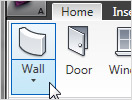
Autodesk Revit Architecture 2010 software features a sleek, new user interface that offers better desktop organization, a larger drawing window, and quick access to the tools and commands you need. You’ll be able to find your favorite tools faster, locate lesser-used tools more efficiently, and discover new features more easily.


Autodesk Architecture: Bidirectional Associativity
View Larger

Bidirectional Associativity
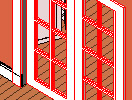
A change anywhere is a change everywhere. In Autodesk Revit Architecture software, all model information is stored in one place. As a result, any information that gets changed is effectively changed throughout the model.

Autodesk Revit Architecture: Schedules

View Larger

Schedules

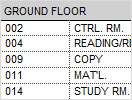
Schedules are just another view of the Autodesk Revit Architecture model. A change to a schedule view is automatically reflected in every other view. Functionality includes associative split-schedule sections and selectable design elements via schedule views, formulas, and filtering.

Autodesk Revit Architecture: Parametric Components
View Larger

Parametric Components
Parametric Components, also known as families, are the basis for all building components designed in Autodesk Revit Architecture. They offer an open, graphical system for design thinking and form making as well as an opportunity to express design intent at increasingly detailed levels. Use Parametric Components for the most elaborate assemblies, such as cabinetry and equipment, as well as for the most elementary building parts, such as walls and columns. Best of all, no programming language or coding is required.

Autodesk Revit Architecture: Design Options
View Larger

Design Options
Develop and study multiple simultaneous design alternatives to make key design decisions. Present multiple schemes to your clients easily. Substitute each option into the model for visualization, quantification, and other data analysis to better inform decision making.

Autodesk Revit Architecture: Detailing

View Larger

Detailing

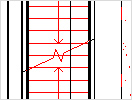
Take advantage of the extensive detail library and detailing tools that are part of Autodesk Revit Architecture 2010. Presorted to align with the CSI format, detail libraries can be tailored to accommodate your office standards. Create, manage, and share your own detail library.

Autodesk Revit Architecture: Material Takeoff

View Larger

Material Takeoff

Calculate detailed material quantities with this new tool. Appropriate for sustainable design and checking material quantities in cost estimates, Material Takeoff facilitates the tracking of material quantities. The parametric change engine helps ensure that your material takeoffs are accurate.

Autodesk Revit Architecture: Revit Building Maker

View Larger

Revit Building Maker

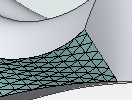
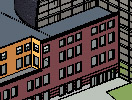
The Revit Building Maker feature provides a seamless way to turn conceptual forms into functional designs. Select faces to generate walls, roofs, floors, and curtain systems. Use tools to extract important information about your building such as surface area or volume per floor. Conceptual forms may be created natively in Autodesk Revit Architecture or imported from applications such as AutoCAD®, form-Z, Rhino, Google SketchUp, or other ACIS- or NURBS-based applications into Autodesk Revit Architecture software as mass objects.

Autodesk Revit Architecture: Interference Check
View Larger

Interference Check
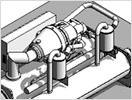
Use interference checking to scan your model for collisions between elements.

Autodesk Revit Architecture: Design Visualization
View Larger

Design Visualization
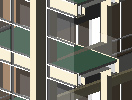
Capture design ideas in a photorealistic state. With easy user interaction, high-quality output, and faster render times, the mental ray® rendering engine enables superior design presentation.

For more granular control over the rendered scene, use the Autodesk® FBX® file format to import your designs into Autodesk® 3ds Max® Design software. You’ll get unmatched flexibility and control over how you visualize and present your work. Learn more about design visualization.

Autodesk Revit Architecture: Native 64-bit Support

View Larger

Native 64-bit Support

New native 64-bit support enhances Autodesk Revit Architecture’s ability to handle large projects and improves performance and stability for memory-intensive tasks such as rendering, printing, model upgrading, and file importing and exporting.

Autodesk Revit Architecture: Enhanced Interoperability
View Larger

Enhanced Interoperability
Interoperability enhancements enable you to work more efficiently with members of your extended project team. Now you can export your building model or site, complete with critical metadata, to AutoCAD® Civil 3D® software. And you can import accurate models from Autodesk® Inventor® 3D mechanical design software.

Autodesk Revit Architecture: Autodesk 2D and 3D DWF Integration

View Larger

Autodesk 2D and 3D DWF Integration

Autodesk Revit Architecture software supports complete round-tripping of markups with Autodesk® Design Review software. Because Autodesk Design Review software’s markup capabilities combine with Autodesk Revit Architecture navigation and revision management capabilities, tracking changes is easy. There’s no need to re-enter information. Autodesk Revit Architecture supports publishing a model to 2D or 3D DWF™ format. This capability provides high-impact, dynamic communication of design information in a lightweight format. It’s great for including nontechnical participants in the project review process.

  • Resource Center
  • Product Download
  • Services & Support
  • Building Information Modeling (BIM)
  • Features
    • Detailed Features
  • System Requirements
  • White Papers
  • Customer Stories
  • Product Trial
  • News & Events
  • Related Products
  • Documentation
  • How to Buy
  • Subscription Benefits

FAQ (pdf - 173Kb)

Autodesk Revit Architecture Brochure (pdf - 3950Kb)
Read More
Posted in New Features Workshop, Revit, Use Revit Like Revit | No comments

Friday, 15 February 2008

Revit Architecture 2009 New Features Workshop

Posted on 00:01 by Unknown
So, above is a peek at the Revit Architecture 2009 New Features Workshop... If you want to see a FULL RESOLUTION+ slide show of the workshop (or you don't see the Flikr library above) then CLICK ME!!!

I will get into more of the items in depth, but I thought you'd like to see the images above ASAP!!!

Soon the Revit Architecture web site will be updated with Revit Architecture 2009 info...HERE, I think.
Read More
Posted in New Features Workshop, Revit 2009 New Features Workshop, Revit Architecture 2009 New Features Workshop | No comments
Older Posts Home
Subscribe to: Posts (Atom)

Popular Posts

  • ____(1)fest 2009
    ____ing (2) in a ____ (3)can? Better than that!!! First off to Virginia Gardiner, the Designer of the Loowatt, I apologize for the low-brow ...
  • Do You Want To Be An Architect?
    Sage advice that is spot on. Too bad the damned video isn't shown in Architecture Schools (or earlier)!!!
  • Slanted Volumes...I guess the Ramp tool isn't enough?
    I've been asked several times in the past few months to create (or show others how to create) Parametric Slanted Volumes. It seems that...
  • Central File Transfer Processes
    Whether transferring to others or even working from home (see the BONUS!!! section) Central files need extra attention paid when dealing wit...
  • RTC USA Me Part 2: A+Revit Families
    This time the presentation is first & the handout after... Only one may be needed, as they are mainly the same... you decide though... C...
  • Fun With Revit & Cows
    Here's a bit of fun with Marcello's Cow for LARUG (Hey, check out LARUG's Group Site and sign up/join if you want to come to ...
  • MythBusted? BIM/CAD is no panacea for lacking experience
    Images from the Gommateshvara Statue I visited yesterday... and some of those 650 steps that I am about to mention (yikes on the calf muscl...
  • Namaste From India (not na)
    5:00 am, India time... do you know where your J is? So after the 20 some odd hours of flying time, I am finally here in Bangalore; the Silic...
  • Scope Boxes Redux
    Looking for some guidance on how to use scope boxes? Wondering just what you can use them for? Thought so...Here is one way to use them to g...
  • Revit Users and You (Sirs?)
    An excerpt from an Evite for the Los Angeles Revit Users Group meeting for July : (yes, click the link if you'd like to be invited...ju...

Categories

  • Addons
  • AEC
  • angled
  • Architecture
  • Arrays
  • AU
  • AUGI
  • Autodesk
  • Autodesk University
  • BIM
  • calculated values
  • Content
  • dirty
  • DWF
  • Elevations
  • Engineering
  • Error Reporting
  • Errors
  • Extensions
  • family
  • Family Types
  • File Locations
  • Filters
  • fire rated
  • fire rating filters revit
  • Fire Ratings
  • formula
  • formulas
  • Future
  • Graphic Overrides
  • graphics
  • Happy New Year
  • Helix
  • Hide at Scales Coarser Than
  • inconsistent units
  • Las Vegas
  • marketing
  • MEP
  • model
  • Multiple Page PDF from Revit
  • New Features Workshop
  • no one said to model a cow
  • object overrides
  • Overrides
  • Parameters
  • PDF
  • Ramp
  • Revit
  • Revit 2009 New Features Workshop
  • Revit 2010
  • Revit Architecture 2009 New Features Workshop
  • Revit Crash
  • Revit Families
  • Revit filters
  • revit formulas
  • Revit Web Update
  • Revitisms
  • scale
  • section
  • Shared Parameters
  • slanted
  • sloped
  • solids
  • Spiral
  • Spiral Ramp
  • Spiral Stairs
  • Structure
  • Think Twice and Place Once
  • Tools
  • Use Revit Like Revit
  • view
  • Views
  • volumes

Blog Archive

  • ▼  2013 (17)
    • ▼  October (2)
      • Address(ing) Keynotes | Revit | Customization | CSI
      • 3D Grids In Revit | An Oldie But Goodie Done Again
    • ►  August (1)
    • ►  July (1)
    • ►  June (2)
    • ►  May (2)
    • ►  April (2)
    • ►  March (3)
    • ►  February (3)
    • ►  January (1)
  • ►  2012 (24)
    • ►  December (2)
    • ►  November (1)
    • ►  October (2)
    • ►  September (2)
    • ►  August (2)
    • ►  July (1)
    • ►  May (3)
    • ►  April (1)
    • ►  March (3)
    • ►  February (3)
    • ►  January (4)
  • ►  2011 (55)
    • ►  December (8)
    • ►  November (4)
    • ►  October (3)
    • ►  September (1)
    • ►  August (3)
    • ►  July (4)
    • ►  June (3)
    • ►  May (8)
    • ►  April (3)
    • ►  March (7)
    • ►  February (9)
    • ►  January (2)
  • ►  2010 (55)
    • ►  December (7)
    • ►  November (5)
    • ►  October (4)
    • ►  September (4)
    • ►  August (4)
    • ►  July (6)
    • ►  June (4)
    • ►  May (7)
    • ►  April (3)
    • ►  March (2)
    • ►  February (3)
    • ►  January (6)
  • ►  2009 (68)
    • ►  December (6)
    • ►  November (3)
    • ►  October (6)
    • ►  September (5)
    • ►  August (8)
    • ►  July (13)
    • ►  June (13)
    • ►  May (2)
    • ►  April (6)
    • ►  March (4)
    • ►  February (1)
    • ►  January (1)
  • ►  2008 (27)
    • ►  November (2)
    • ►  October (1)
    • ►  September (1)
    • ►  August (1)
    • ►  July (5)
    • ►  June (2)
    • ►  May (4)
    • ►  April (3)
    • ►  March (2)
    • ►  February (5)
    • ►  January (1)
  • ►  2007 (39)
    • ►  December (4)
    • ►  November (4)
    • ►  October (5)
    • ►  September (1)
    • ►  August (4)
    • ►  July (6)
    • ►  June (3)
    • ►  May (5)
    • ►  April (2)
    • ►  March (4)
    • ►  February (1)
  • ►  2006 (14)
    • ►  December (2)
    • ►  November (1)
    • ►  October (2)
    • ►  September (5)
    • ►  August (4)
Powered by Blogger.

About Me

Unknown
View my complete profile